About the Certificate
Bring your creative ideas to life by using concept development, storytelling, 2D and 3D graphics, and digital tools in Otis Extension’s Animation Certificate Program. Animation can be used across a wide range of applications including broadcast, film, advertising, fine arts, gaming, and visualization.
After completing the program, you will be prepared to begin a career or enhance your skills in the field of animation. Learn from experienced professionals and artists, connect with a network of creatives, and receive career support, including career counseling, career assessment, internship advising, and employer networking opportunities. Ultimately you will create a professional-quality portfolio demonstrating conceptual, design, and technical proficiency for entry-level positions in the animation industry.
What You Will Learn
- How to create in-depth stories, characters, environments, visual effects, and animated graphics
- Art and design fundamentals, including life drawing, composition, color theory, and digital imaging
- 2D and 3D animation skills
- How to design and develop characters from start to finish
- Industry-standard tools, including Autodesk Maya, Adobe Creative Suite, and more
- Professional practices relevant to careers in animation and portfolio development
Prospective Student Resources
- Attend an Info Session for certificate details and a registration discount
- View a course planning document to learn more about course sequence and timelines
- Submit materials to waive a required course
- Review our policies and FAQs for answers to common questions, including refund schedules, information for international students, and details about various certificate processes
- Chat with us during drop-in hours: Wednesdays from 3:00-4:00 p.m. via Zoom
- Schedule an appointment with an Extension Advisor
- Email certificates@otis.edu with any questions
Program Costs
Approximate Course Cost: $553*
Total Number of Courses: 18
Estimated Total Tuition: $9,954**
*Cost for an online course after certificate tuition discount. Upon submitting the certificate application and fee, students qualify for a 15% tuition discount per course at the time of enrollment.
**Cost after certificate tuition discount. Courses are individually priced. Tuition and course fees are paid at the time of enrollment in each course. Total tuition is not paid in advance or in a lump sum. Additional course fees or materials costs may apply.
Eligibility and Requirements
Students must be 18+ years of age to enroll. No portfolio or prior experience is required.
Individuals interested in this certificate program can take up to two courses before committing to the program. Before beginning their third course, students are required to submit a Certificate Program Enrollment Application with a non-refundable $185 application fee.
Students are notified of their certificate application results three times per year according to the following dates:
- Between 12/10/2026 - 2/6/2027 for Spring 2027 start
- Between 4/15/2027 - 6/8/2027 for Summer 2027 start
- Between 8/5/2027 - 9/25/2027 for Fall 2027 start
Computer and Technology Requirements
Note: please refer to each individual course page for additional supplies, materials, and software requirements.
- Computer with camera and sound capabilities; reliable internet connection
- A second device with screen such as iPad, tablet, or second computer with working audio, built-in webcam, and microphone
- Camera (smart phone or DSLR camera) with the ability to transfer files to your computer
- Hard drive with at least 250 GB of storage
- Optional: external web camera and USB microphone headset
Required Courses
Learn the basics of 2D computer animation in this hands-on course designed for aspiring animators interested in working in this rewarding and challenging field. Students will learn the techniques and principles of animation and will apply these principles to short animated pieces of their own. Beginning with basic animation exercises and progressing quickly to more complex character animation, this course teaches the craft of animation and the art of entertaining an audience with moving pictures. By the end of this course, every student will have a portfolio of several short animated pieces and a solid grasp of industry-standard software.
Students continue to explore 2D Animation principles and techniques using industry standard tools. This advanced course focuses on character animation and storytelling as students apply principles of timing, weight, anticipation, posing, silhouette, and mood. The course also examines animation shorts and films for critique and to train the “animator’s eye”.
What is good design? Line, space, balance, value, texture, perspective—these are just a few of the elements and principles that designers engage with to create strong design solutions. This course provides a thorough introduction to visual elements, language, and applications fundamental to 2-dimensional design. Through weekly assignments, students apply design principles using digital or traditional media. This course builds confidence in the design process for beginners and professionals by focusing on perception and thinking, historic and current references, and craftsmanship. Instruction includes design projects, online lectures, online discussion, process, and critique.
Discover the principles and techniques of 3D animation in Maya. Students establish a working knowledge of Maya’s suite of animation tools, as well as build a foundation for approaching both cartoony and realistic animation. Beginning with basic exercises designed to teach proper animation technique and culminating in a final character animation project, students gain an understanding of the tools and techniques required to create eye-catching animation.
Take your Maya skills to the next level for a variety of applications including film, tv, video games, and visual effects. Autodesk Maya is the industry-standard 3D software package for film, tv, video games, and visual effects. This course advances the student’s production of three-dimensional, computer-generated animation utilizing Autodesk Maya. Through weekly Zoom meetings, students work under the guidance of instructor expertise to develop their own 3D animation projects. Topics include modeling, texturing, lighting, animation, and rendering.
Have your own idea for a cartoon? A little character design goes a long way. In this course, students learn to create believable, interesting characters with human traits for cartoons and animation. Instruction covers staging, silhouette, posture, structure, costume, color, and shapes. Students also explore the art of popular cartoonists, animation characters, and design types. In addition, students learn how to apply these skills in various market segments such as advertising, animation, gaming, and beyond.
Color is emotional. A color resonates based on memory, cultural bias, and personal preference. Artists and designers alike communicate effectively through choice of hue, saturation, and value. In this course, knowledge and understanding of color are developed through weekly exercises and homework projects. Through lecture, demonstration, critique, and practical experience, students investigate color theory; fundamental elements, principles, and terminology; color systems, color modes; and more. Students develop an investigative process for problem-solving, revising, and inventing through the application of color as it exists in physical and digital worlds.
Whether your interest is in producing digital interfaces or animated content for social media, you need to start with the basics and become familiar with the digital tools of the trade. Students will be introduced to digital design-specific applications that are used by design professionals in areas of multimedia, animated graphics, UX/UI and web design – Adobe Photoshop, Adobe Illustrator, Adobe Animate, Adobe XD, and Adobe Dreamweaver.
The ability to produce vector graphics is a “must-have” skill for any modern artist or designer. Adobe Illustrator is the world’s leading vector graphics application used for producing professional-quality logos, package design, signage, and so much more. This hands-on course introduces students to the basics of working with Illustrator to create compelling designs.
Adobe Photoshop isn’t just for photographers. Its multitude of applications makes it a go-to tool for creatives. This course teaches a comprehensive understanding of Photoshop and how digital imaging and is used in various professional applications. Students learn the basics of interface elements, keyboard shortcuts, and file management before diving into more advanced topics such as masks, selections, color correction, and layering techniques to create various effects. Through hands-on projects, they develop essential skills to paint digitally, retouch images, and manipulate photos. This course is recommended for anyone who wishes to develop technical foundations for a range of digital art and design careers.
Our human tradition of storytelling now exists in a digital media environment where millions have access to multimedia tools and the opportunity to instantly connect with a global audience. From TikTok to YouTube, people are telling their digital stories. This hands-on course covers the tools to better understand, produce and communicate within this shared media environment. Over 10 weeks, students produce compelling and emotionally engaging digital stories in the form of a web page and companion 3 - 5 minute video. Students are encouraged to approach their stories from their own unique perspectives and may combine text, images, video, interactivity, music, and other media. Topics include emerging digital storytelling forms of AI, AR and VR.
Want to draw, but the blank page scares you? Then start here. Through demonstration, class exercises, and critiques, students in this beginning course learn the elements of drawing and composition. Students create finished drawings with attention to line, shading, composition, perspective drawing, and positive versus negative space.
Curate your body of work and get your talent noticed in the marketplace. In this required course, advanced students enrolled in the Animation, Motion Graphics, or Digital Drawing and Illustration certificate program create a portfolio from work produced throughout their course of study. Students will receive individualized critique and guidance in technical and conceptual development. Students work independently and collaboratively to create a professional-quality portfolio demonstrating relevant skills and experience for their chosen industry.
Why draw from a photograph or magazine when you can draw from life itself? Observing and drawing the live model allows the artist to learn about proportions, foreshortening, light and shadow, and the fundamentals of drawing. This beginning/intermediate course places emphasis on the structure and proportion of the human form. Using a variety of drawing media, students are instructed in a gesture as well as long and short poses.
Don’t just consume media. Deconstruct, analyze, and evaluate what you see online or hear or in print to understand it. In this course, students look at the media through a historical lens and the cultural values presented from Medieval paintings to tomorrow’s deep fakes to understand the past, present, and future. Students explore its impact on daily life, questioning what is in the frame, how it is constructed, and what may have been intentionally or unintentionally left out of view. Through lectures, presentations, online dialogue with classmates and more, students develop an understanding of visual language and the ability to decode the symbols disseminated by media.
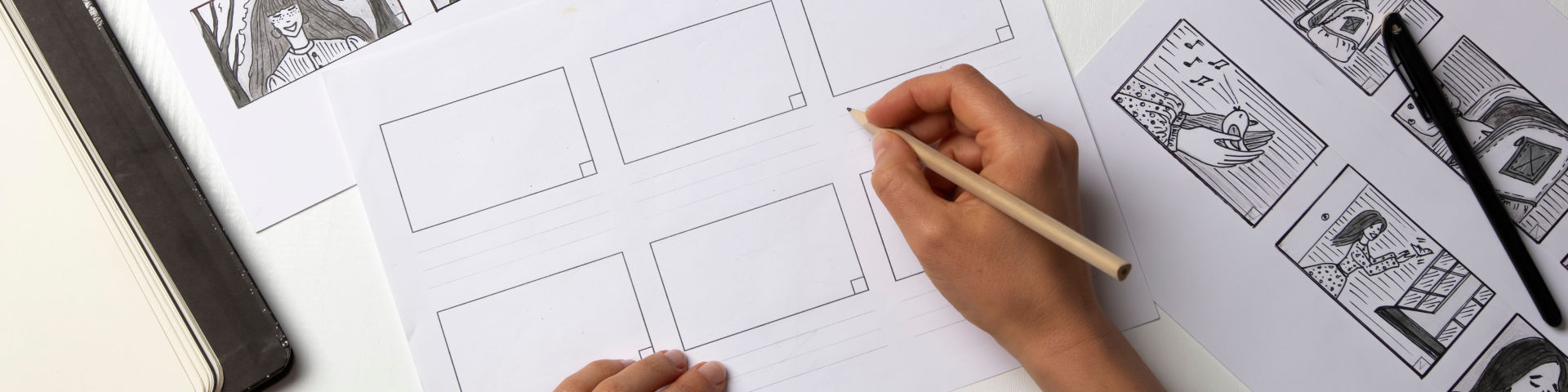
Storyboards help the designer, art director, producer, director, and client visualize a finished work. This course concentrates on translating a concept, idea, image or story into a sequenced visual format. Students develop knowledge and skills to create storyboards for advertising, feature films, television, animation, and game design. Under the guidance of instructor expertise, they develop all aspects of a concept, including characters, backgrounds, storytelling, and a final storyboard.
Select Two of the Following Electives:
Developed for makers, artists, designers, and inventors, this course provides an exciting introduction into the 3D design practices transforming both our physical and digital experiences. The course explores and connects two distinct fields of practice: the use of 3D digital modeling for the design and prototyping of physical objects; and the application of 3D digital modeling in the design of virtual experiences. Enhance your capacity to envision and create 3D experiences while developing fundamental skills of 3D computer-aided design. Learn 3D modeling software and how to design and produce digital prototypes that can be adapted for physical 3D printing. Develop design thinking skills to creatively realize ideas and solve design problems such as how to print a broken part, modify or customize an existing design, or create something entirely new. Apply 3D design skills to create augmented reality (AR), virtual reality (VR), and other 3D content usable in metaverse applications. This course develops a broad skill set and conceptual understanding of how the physical and virtual worlds are becoming ever more intertwined through thoughtful and creative 3D design.
In this advanced modeling course, students apply 3D design knowledge to create an online virtual reality world (in Hubs) and build a 3D video game (in Unreal). Students develop skills in Mozilla Hubs and Unreal tools which can be expanded into exciting possibilities for creating various 3d elements for virtual and interactive environments. Skills reinforced in this class are 3D modeling, digital rendering, and visual storytelling.
Cinema 4D has become an industry-standard software application for modeling, animation, and rendering, thanks to its relatively short learning curve and ease of use. In this hands-on, 10-week course, students learn to create eye-catching 3D animation and design using Cinema 4D. Starting with the fundamentals of 3D design, this course builds on step-by-step demonstrations and exercises and progresses to more advanced projects. By the end of this course, students will have a strong foundation in 3D Design, Modeling, Lighting, and Animation in Cinema 4D.
Take your Photoshop skills to the next level. This course advances the use of Adobe Photoshop for applications including post-production, illustration, graphic design, and digital art. Techniques include retouching and modifying; color correction; photo collage; scanning and importing images, and preparing for output.
Adobe After Effects is the go-to motion graphics tool for television and film production. In fact, the application won an Academy Award for scientific and technical achievement in 2019. This course introduces students to the basic concepts of After Effects. Hands-on exercises focus on combining 2D graphics, video, typography, and sound. Classes offer lectures, technical demonstrations, and professional examples of motion graphics, while assignments cover the use of basic After Effects tools, composition and design, storyboarding, and project planning, adding both music and sound synchronization.
The better you become at motion graphics, the more it becomes about solving design problems rather than about being creative. Offering real-world solutions used by professionals and artists, this course reinforces the best practices, techniques, and concepts learned in Motion Graphics I—along with introducing new ones. Learn the basics of Cinema 4D, an industry standard 3D engine. Each class teaches the fundamentals of the 2D/3D pipeline. Course covers 3D subjects such as compositing, modeling, texturing / lighting & building style frames. Assignments also cover the advanced use of After Effects tools, composition and design, storyboarding, project planning, and adding both music and sound synchronization. Guided tutorials help students learn effective production methods and effects. Each class offers lectures, technical demonstrations, and professional examples of motion graphics used in broadcast media.
Learn the foundations of video editing while gaining a broad understanding of film production techniques. Using digital tools including Adobe Premiere, students create projects that focus on continuity, screen direction, and narrative clarity. Technical topics include capturing and logging; understanding camera settings; organizing workflow; working with timelines and clips; refining edits; applying transitions; adding sound and color grading. Working both independently and in small teams, students create short narratives, which explore and refine editing approaches and techniques. Students also learn basic terminology and receive an overview of career options in the editing field.
This program requires two (2) elective courses. Students may select any of the following courses.
Note: Additional elective options may be available. Please consult your certificate advisor for guidance.